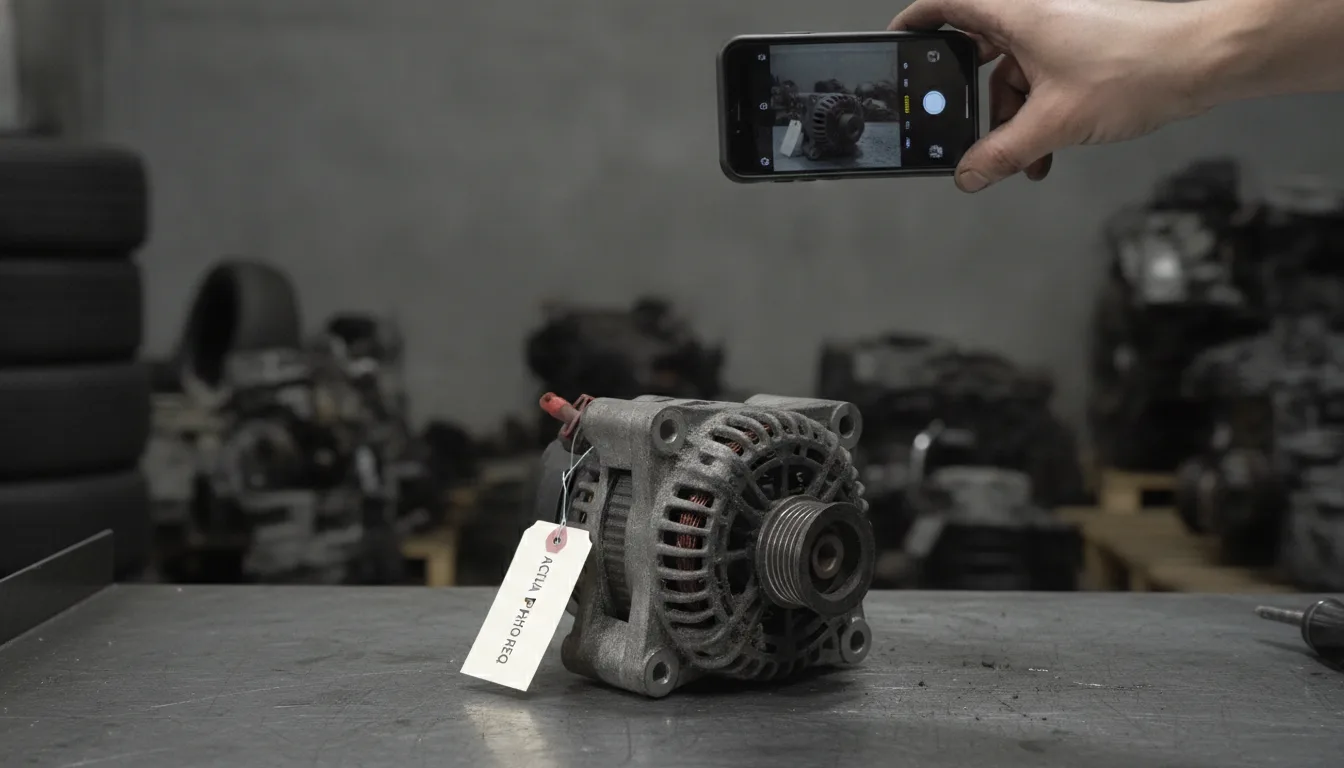
eBay prohibits the use of stock photos for any part listed as used or pre-owned. Sellers must upload at least one original image of the actual item to remain compliant. For a high-volume dismantler, taking the photos is rarely the slow part. Attaching hundreds of them to the right listings is.
The Hard Line Between New and Used Parts
eBay's image policy differs significantly depending on the condition of the part being listed. While new-in-box items can use manufacturer assets, used inventory is held to a stricter standard of physical proof. Used parts must always feature photos of the actual item rather than catalog images. Stock photos are only allowed for new items, and only where the seller has the right to use them. A used-part listing that relies on stock images can be removed.
Used: Actual item photos required
For any part that is not brand new, eBay mandates that the seller provides a clear photograph of the specific item being sold. This rule ensures that buyers can see the exact condition of the component before they commit to a purchase. If a seller lists a used alternator or a salvaged door mirror, they cannot simply pull a clean image from a manufacturer website. The Images, videos and text policy states that for pre-owned vehicle sales, the images must be of the actual vehicle offered. This logic extends to individual parts. Using a generic image for a used item breaks that policy.
New: Stock photos allowed with permission
Stock photos are reserved for items that are in new condition. Even then, a seller must have the right to use those images from the brand owner. If the part is not new, eBay does not allow for the use of a stock photo according to official developer guidelines for Motors parts. For new items, manufacturer assets help maintain a professional look across the marketplace. A used listing that relies on stock imagery can be removed. Original photography is the only safe path for salvaged or refurbished inventory.
For used car parts, eBay mandates the use of actual photos of the item being sold, strictly prohibiting stock imagery.
Technical Minimums for Parts and Accessories
Even a photo of the right part can be rejected if it misses eBay's technical minimum. Every listing must have at least one photo that is at least 500 pixels on its longest side. eBay's photo tips add that Vehicle Parts & Accessories may be exempt from some of the photo requirements, without saying which, so the safe course is to meet all of them. The photo must accurately represent the condition, including any visible defects or wear on a used part.
500px: Minimum length for the longest side
Every listing must include at least one photo that measures at least 500 pixels on its longest side to be accepted by the platform. The minimum is set in the eBay picture policy. Images that are too small will result in an error during the upload process. The minimum is only a floor: eBay's photo tips for sellers suggest 800 to 1,600 pixels on the long side, so a photo holds up on screens of every size.
Accuracy: Images must show the specific wear on that part
A compliant photo must be a faithful representation of the item. This means any scratches, dents, or signs of wear must be visible in the gallery. The same picture policy rules out photos that don't accurately represent the item. If a buyer receives a part that looks worse than the photo, they are likely to file a Return for Item Not as Described. Showing defects clearly can actually reduce returns by setting the right expectations.
| Metric | Requirement or Limit |
|---|---|
500 |
Minimum pixels. The smallest a photo's longest side can be. |
1,600 |
Suggested pixels. The top of the range eBay's photo tips recommend for the long side. |
24 |
Maximum photos. The most pictures one eBay listing can carry. |
Matching Folders to Parts Without Manual Uploads
The primary bottleneck for a dismantler is not taking the photo, but the manual process of attaching files to the correct SKU. The fix is to make the part number the link between a photo and a listing. GridX Connect's Image Drive does exactly that: each part's photos go in a folder named with its part number, and Image Drive matches each folder to that part and attaches the photos. A part holds up to 24 photos, and the photo in position one is what a buyer sees first.
Folder Naming: Use the part number as the folder name for auto-matching
Image Drive is part of GridX Connect's listing software for eBay Motors. It reads each folder name as a part number and looks it up in inventory. It then takes every image inside that folder and attaches it to the matching part. This eliminates the need to click into every individual listing to upload files. The filenames of the individual images do not matter as long as the parent folder is named correctly.
Batch Limits: Upload up to 1,000 part folders in a single action
Image Drive allows a seller to upload up to 1,000 part folders in a single action. It reads the folders from the seller's own computer. Despite the name, it is not Google Drive and connects to no online account. It is important to note that while a folder can contain many images, a part holds a maximum of 24 photos. Any extra images in the folder beyond that limit will be dropped during the upload process. Image Drive requires a paid plan, while the free plan allows adding photos one part at a time.
The Gallery: Unmatched folders wait in a staging area for manual review
Sometimes a folder name might contain a typo or a part number that has not been entered into the system yet. In these cases, the software places the unmatched folder into a staging gallery. This allows the seller to review the images and manually link them to the correct part later. This safety net ensures that no photography work is lost due to a simple naming error. Matching works on a whole folder at a time, so one match attaches every photo in it.
The time lost in photography isn't behind the camera; it is in the manual drag-and-drop of files into individual eBay listings.
Integrating Photos into the Dismantling Workflow
Photography should happen at the point of teardown to ensure the donor vehicle data and part images remain synchronized. This prevents the 'mystery part' problem where unlabelled photos sit in a digital graveyard. Photos taken of the donor vehicle can be applied to every part harvested from that specific VIN. Standardizing the sequence of photos improves buyer confidence and reduces returns.
Donor Level: Apply vehicle-wide photos to all harvested parts
A donor vehicle often has general photos that are relevant to every part taken from it. This might include shots of the instrument cluster showing the mileage or the overall condition of the bodywork. This provides context to the buyer about the source of the used part. It shows the buyer exactly which vehicle the part came from.
VIN first: Record the donor vehicle before teardown
Decoding the donor vehicle's VIN before the first part comes off gives every photo a make, model and year to belong to. Linking photos to that record at the moment of teardown keeps the data accurate. This prevents the common mistake of misidentifying parts later in the process.
Sequence: Standardize the order of shots for every part type
Creating a standard operating procedure for photography helps speed up the listing process. When every part is shot in the same order, the buyer knows exactly what to look for in the gallery. A typical sequence for a mechanical part might include:
- Front view of the component.
- Rear view showing mounting points.
- Close up of the manufacturer part number stamp.
- Side profile to show depth or thickness.
- Connector pins or electrical plug layout.
- Any specific wear marks or surface scratches.
Common Policy Violations and How to Fix Them
Most photo problems fall into a few patterns, and each one can be checked before a listing goes live. Removing manufacturer watermarks from stock photos does not make them compliant for used parts. Using a photo of a different but similar part is a violation; the image must be of the specific item in the box. Listings without at least one valid photo will be rejected by listing tools and eBay's API.
Substitution: Never use a photo of a similar part to represent a used item
It is tempting to use a photo of a clean part to represent a similar part that is slightly dirtier. This is a violation of marketplace trust. The image must be of the specific item that the buyer will receive. The picture policy lists what a breach can bring: removing the listing, a warning, restricted activity or account suspension.
Minimums: Listings with zero photos will fail to publish
eBay will not accept a listing that does not have at least one valid photo. Every part must have its own visual documentation to be live on the marketplace. A part with no photos stays unlisted until the images are provided.
Common questions
Can I use a stock photo for a used car part?
No, eBay strictly prohibits the use of stock photos for any part listed as used or pre-owned. You must take an original photo of the actual item you are selling to comply with marketplace policies.
What is the minimum image size for eBay Motors?
The minimum size for any image in an eBay Motors listing is 500 pixels on its longest side. Images smaller than this will be rejected during the upload process.